


ForwardHealth Partners: Medicaid Purchase Plan (MAPP) Partner Toolkit
Easy access to outreach materials and resources
This toolkit is designed to give you the information and the communication tools you need to help members better understand their Medicaid Purchase Plan (MAPP) benefits.
You can find more information about MAPP eligibility, enrollment, work requirements, and premiums at the Medicaid Purchase Plan webpage.

Frequently asked questions
General
Checks and money orders, along with the tear-off portion of the premium statement, should be mailed to:
Medicaid Purchase Plan
PO Box 93187
Milwaukee, WI 53293-0187
Payment sent to this address will be processed within 2-3 days after receipt.
If a member is subject to a premium at the time of enrollment or re-enrollment, they are required to pay the initial premium to enroll in MAPP.
To avoid processing delays, MAPP premiums should be paid online or by mail. If someone comes to a local agency with a premium payment, the agency staff will help them pay online or mail their check or money order.
In very limited circumstances, in-person premiums can be accepted for processing by a local agency.
For this to happen, all of the following criteria must be met:
- The individual is unable to pay their premium online.
- The individual's benefits will end before the payment can be processed by mail.
- The individual has a specific and immediate medical need, where a delay in the beginning of benefits or a temporary closure of benefits will result in not being able to get a prescription, not being able to attend a medical appointment, or loss of long-term care services prior to the premium being processed.
No, members can’t pay premiums in advance. Because a member's MAPP eligibility and/or premium amount may change, we don’t allow members to prepay for months in advance.
If there is an accidental overpayment, that amount is applied to the next month's premium.
You can call Member Services at 800-362-3002. For questions about MAPP eligibility, members should call their local or Tribal agency.
A return envelope is included with each month's premium statement, but postage is not prepaid.
Members should:
- Tear off the payment portion at the bottom of their statement and put it in the envelope so the address shows through the window.
- Include a check or money order.
- Add postage for mailing.
MAPP premiums are due on of the 10th of each month. For example, your premium for your January benefits is due on January 10, 2026.
Resources
Members should pay their overdue premium to the premium processing unit – they can mail in a check or money order or pay their premium in ACCESS. This is included on the premium statement. In only very limited circumstances is the member able to pay at their local or Tribal agency.
The premium is applied to the oldest premium month due. For example, if December’s premium is paid January 12, the premium will be applied to December. The member will still owe January premium.
Premiums can be paid in ACCESS on the last day of the month after it was due. A check mailed on that day would not be processed in time to avoid disenrollment.
In very limited circumstances, in-person premiums can be accepted for processing by a local agency.
For this to happen, all of the following criteria must be met:
- The individual is unable to pay their premium online.
- The individual's benefits will end before the payment can be processed by mail.
- The individual has a specific and immediate medical need, where a delay in the beginning of benefits or a temporary closure of benefits will result in not being able to get a prescription, not being able to attend a medical appointment, or loss of long-term care services prior to the premium being processed.
ACCESS and MyACCESS
ACCESS AutoPay can be set up with a:
- checking account
- savings account
- debit card (including pre-loaded Social Security cards)
- credit card
Payments that have been processed will be reflected on the Premiums History page in ACCESS. If a member does not currently have a premium due, the green “Make a payment” button will be grayed out and there will be a message that no premium is due.
The green "Make a payment" button will be enabled when a payment can be made in ACCESS.
After the member has paid the initial premium and is current on their payments, the “Set up AutoPay” link on the Premiums homepage will be enabled indicating a member is able to set up the ACCESS AutoPay.
MAPP members should call Member Services at 800-362-3002 for questions about or issues with:
- ACCESS
- MyACCESS
- ACCESS AutoPay
Electronic fund transfer (EFT) and wage withholding
The validation process to set up EFT takes about 3 weeks. Members must pay their MAPP premium another way until the month listed on their EFT confirmation letter.
Members can call their local or Tribal agency to request an EFT form, F-13023. Another option is for members to sign up for ACCESS AutoPay. Their monthly payment can be made automatically using a checking account, savings account, credit card, or debit card, and there is no processing delay.
Yes, if wage withholding is offered by the member's employer. Members can call their local or Tribal agency to ask for the Wage Withholding Form, F-13024.
Find partner resources
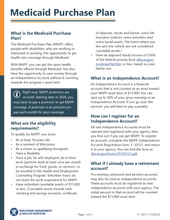
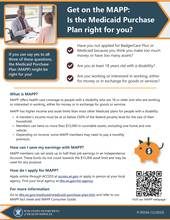
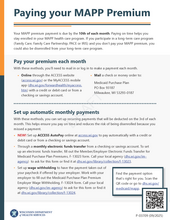
Medicaid Purchase Plan Consumer Guide, P-00181 *
* There is an error on page 8 of the printed version of the MAPP Consumer Guide. The online version is correct.
ACCESS AutoPay promotion (PDF)

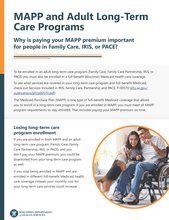

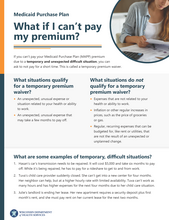
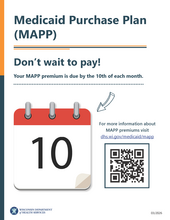
These are for partner awareness only. These are not to be edited or shared with members.
Letter to members who have not paid MAPP premiums
This one-time letter will be sent October 20, 2025, to members who have not paid MAPP premiums in one or more of the past three months (July, August, and September).
- Letter to members who have not paid premiums, English (PDF)
- Letter to members who have not paid premiums, Spanish (PDF)
Pay your initial MAPP premium
A new cover letter is sent with the initial premium statement telling applicants how to pay their initial premium.
Premium statement with past due amount
When a member owes a premium from the previous month, both months will be included on the premium statement and a cover letter will be included.
Automatic premium payment reminder
Members who have an recurring payment method set up (ACCESS AutoPay, EFT, or wage withholding) will receive this letter instead of a premium statement to avoid duplicate payments.
- Automatic premium payment reminder—ACCESS AutoPay (PDF)
- Automatic premium payment reminder—EFT (PDF)
- Automatic premium payment reminder—Wage withholding (PDF)
How to set up electronic funds transfer
The electronic funds transfer (EFT) form is sent with a new cover letter when members request information about EFT.
How to set up wage withholding
The wage withholding form is sent with a new cover letter when members request information about wage withholding.
AutoPay enrollment confirmation
This letter confirms that a member signed up for ACCESS AutoPay to pay their MAPP premiums.
- Your ACCESS AutoPay for MAPP premiums started, English (PDF)
- Your ACCESS AutoPay for MAPP premiums started, Spanish (PDF)
AutoPay disenrollment confirmation
This letter confirms that a member's ACCESS AutoPay for MAPP premiums has ended. There are several versions of this depending on the reason that AutoPay has ended.
- Your ACCESS AutoPay for MAPP premiums ended—voluntary disenrollment, English (PDF)
- Your ACCESS AutoPay for MAPP premiums ended—voluntary disenrollment, Spanish (PDF)
- Your ACCESS AutoPay for MAPP premiums ended—wage withholding enrollment, English (PDF)
- Your ACCESS AutoPay for MAPP premiums ended—wage withholding enrollment, Spanish (PDF)
- Your ACCESS AutoPay for MAPP premiums ended—EFT enrollment, English (PDF)
- Your ACCESS AutoPay for MAPP premiums ended—EFT enrollment, Spanish (PDF)
- Your ACCESS AutoPay for MAPP premiums ended—no longer owes a premium, English (PDF)
- Your ACCESS AutoPay for MAPP premiums ended—no longer owes a premium, Spanish (PDF)
- Your ACCESS AutoPay for MAPP premiums ended—no longer eligible for MAPP benefits, English (PDF)
- Your ACCESS AutoPay for MAPP premiums ended—no longer eligible for MAPP benefits, Spanish (PDF)
- Your ACCESS AutoPay for MAPP premiums ended—payment failed, English (PDF)
- Your ACCESS AutoPay for MAPP premiums ended—payment failed, Spanish (PDF)
Premium payment reminder #1
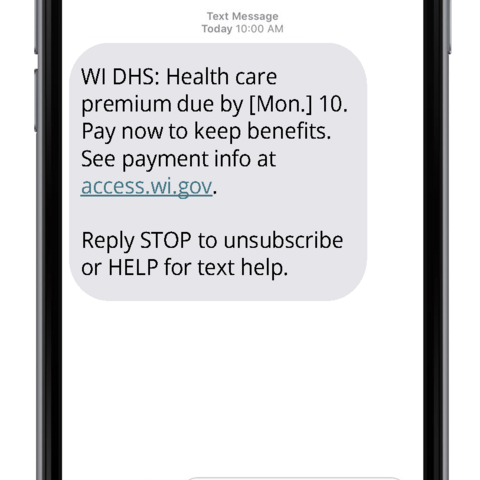
Reminder message sent around 1:30 p.m. on the 5th of the month to members who owe a MAPP premium and do not have an automatic payment method set up.
Premium payment reminder #2
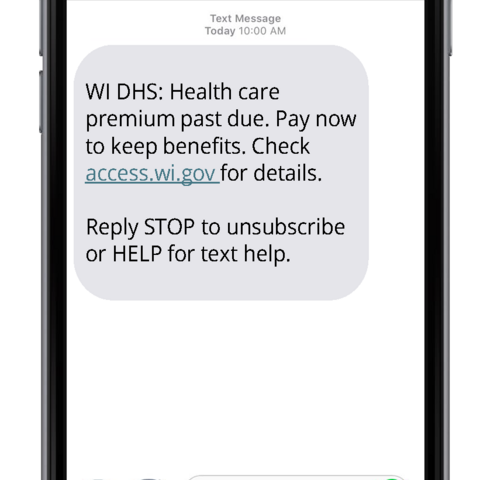
Reminder message sent around 1:30 p.m. on the 20th of the month to members who have not yet paid their premium for that month.
ACCESS AutoPay enrollment confirmation
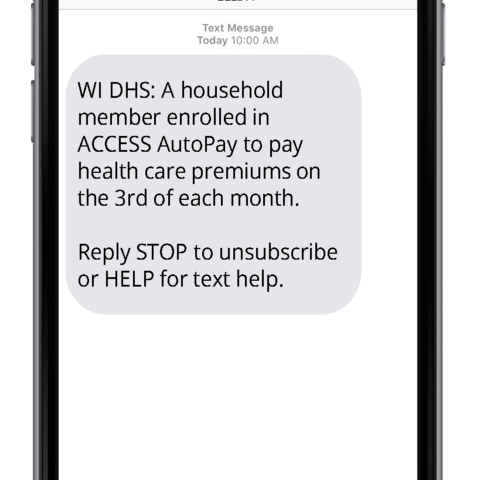
This text message is sent to members who successfully enrolled in ACCESS AutoPay. The message is sent around 11 a.m. daily and reflects enrollment between 5:30 a.m. the previous day and 5:30 a.m. the day the message is sent.
ACCESS AutoPay disenrollment confirmation
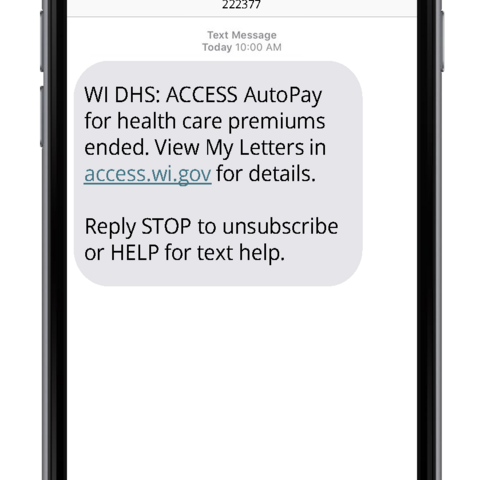
This text message is sent to members who have been disenrolled from ACCESS AutoPay. The message is sent around 11 a.m. daily and reflects disenrollments between 5:30 a.m. the previous day and 5:30 a.m. the day the message is sent.
Automatic premium payment confirmation
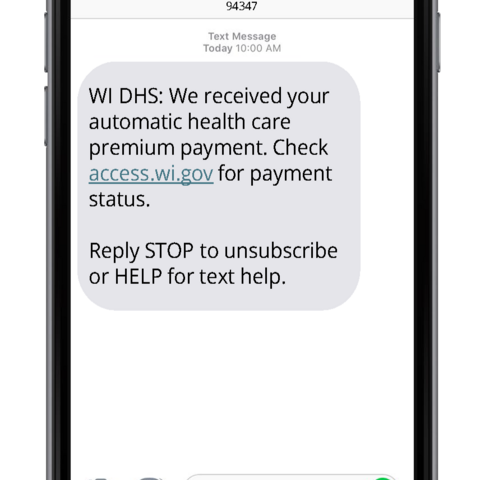
MAPP members who have an automatic payment method set up (ACCESS AutoPay, EFT, wage withholding) receive this message to confirm that their premium payment has been received. This will be sent around 10:15 a.m. on the 4th day of the month.
Electronic funds transfer (EFT) and wage withholding
- Member/Employer Electronic Funds Transfer for Medicaid Purchase Plan Premiums, F-13023
- Medicaid Purchase Plan Premium Employer Wage Withholding, F-13024
Temporary hardship waiver
Work requirement
- Medicaid Purchase Plan (MAPP) Work Requirement Exemption, F-10127
- Health and Employment Counseling Application, F-00004
Independence accounts
Agency
Your agency is the local or Tribal office that helps you with your state benefits. Your agency is responsible for enrolling you in MAPP and registering your Independence Accounts.
Family
For MAPP, a family is the applicant, the applicant’s legal spouse, and any dependent, natural, or adoptive child(ren) who live with the applicant. Stepchildren are not included in the family group for MAPP.
Health and Employment Counseling (HEC)
This is the program certified by the Department of Health Services to help you plan for reaching your work goals. For more information, call the HEC coordinator at 866-278-6440.
Impairment-Related Work Expense (IRWE)
An IRWE is the cost for items or services that you need to work because of an impairment. For example, if you needed a service animal to work, the cost of the animal, training, or even food, could be considered an IRWE. Other examples of IRWEs include modified audio/visual equipment, typing aids, specialized keyboards, prostheses, reading aids, vehicle modification (plus installation, maintenance, and associated repair costs), and wheelchairs.
You pay for IRWE expenses out of pocket. They are subtracted from your gross income before we decide if your income is over the 250% FPL to be eligible for MAPP. We also subtract IRWEs from the income we use to set your premium amount. IRWE expenses may lower your premium amount.
Independence Accounts
These are financial accounts that you open or existing retirement accounts that are exempt from the $15,000 asset limit for MAPP. Independence accounts allow you to save some money from earnings without losing MAPP benefits.
Initial Premium Payment
This is the full premium for the first month that must be paid before you can be enrolled in MAPP.
Medicaid Purchase Plan (MAPP)
The Medicaid Purchase Plan is a program that allows adults with disabilities who are working or are interested in working the opportunity to enroll in health care coverage.
Medical Expenses
Medical expenses are anticipated, incurred expenses for services or goods that have been prescribed or provided by a licensed medical practitioner for diagnosis, cure, treatment, or prevention of disease or treatment affecting any part of the body. These are expenses that are the responsibility of the member and cannot be paid by any other source, such as Medicare, Medicaid, private insurance, or employer.
Examples of medical expenses include:
- Deductibles and copayments for Medicaid, Medicare, and private health insurance
- Health insurance premiums
- Bills for medical services that are not covered by Wisconsin Medicaid
Member
A person who is enrolled in MAPP.
Remedial Expenses
Remedial expenses are costs for services or goods that are provided to relieve, remedy, or reduce a medical or health condition. These expenses are a member’s responsibility and cannot be paid by any other source, such as Medicaid, private insurance, or employer.
Examples include:
- Case management
- Daycare
- Housing modifications for accessibility
- Respite care
- Supportive home care
- Transportation
Remedial expenses do not include housing or room and board services.