


FoodShare: Protect Your Benefits
Scammers may be trying to steal FoodShare benefits by gaining access to your card data and personal information. You can help protect your benefits by choosing a secure personal identification number (PIN) and using all the QUEST card security features.
Tips to protect your FoodShare benefits
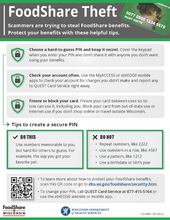
- Choose a hard-to-guess PIN. Don’t use repeating numbers, like 2222, numbers in a row, like 4567, or a pattern such as 1212. Don’t use a birthdate or birth year.
- Keep your PIN secret. Cover the keypad when you enter your PIN. Do not share your PIN with anyone you don’t want using your benefits to buy food for your FoodShare household.
- Check your account often. Use MyACCESS mobile app or the ebtEDGE website or ebtEDGE mobile app to check your account often for unauthorized charges. Change your PIN right away if you spot any suspicious charges.
- Freeze your card between uses with the ebtEDGE website or ebtEDGE mobile app. When your card is frozen, you and anyone else will be unable to use it. You will need to unfreeze it to make purchases again.
- Block your card from being used on the internet if you don’t shop for groceries online.
- Report lost or stolen cards immediately to QUEST Card Service at 877-415-5164.
Create a more secure PIN
Scammers know the most common PINs and use that information to steal benefits. DHS prevents members from using some of the most common PINs.
Tips for creating a secure PIN
- Don’t use repeating numbers, like 2222, numbers in a row, like 4567, or a pattern such as 1212.
- Don’t use a birthdate or birth year.
- Use a date that is special to you (but that isn’t a birthday or birth year).
How to change your QUEST card PIN
- Call QUEST Card Service at 877-415-5164
- Choose your language
- Enter the 16-digit card number
- Say “Change PIN”
- Enter or say your birthdate
English: MMDDYYYY
Spanish: DDMMYYYY - Enter the last four digits of your Social Security number
- Enter your new four-digit PIN
- Re-enter your PIN
- If you choose an easy-to-guess PIN, such as 1234 or repeating numbers such as 1111, it will ask you to try again. (see tips for creating a secure PIN)
- Select a card from the Welcome page.
- Click on PIN Select on the Account Services section of the Account Summary page.
- Enter the requested information to authenticate your identity. Then enter and confirm your PIN.
- Select Save to select your new PIN. (The button becomes active after you complete the required fields.)
- When your new PIN has been saved, select OK in the success message window. The application returns you to the Account Summary page.
Use MyACCESS and ebtEDGE to protect your benefits
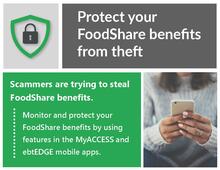
Monitor and protect your FoodShare benefits by using features in the MyACCESS mobile app and ebtEDGE mobile app.
Monitor with MyACCESS
- Check your account for charges you didn't make
- See reminders and important letters about renewals
- Update your address and contact information
- Submit documents
Protect with ebtEDGE
- Change your PIN
- Freeze your card when not using it
- Block online purchases
- Find retailers that accept FoodShare
Using your QUEST card outside of Wisconsin
Starting March 1, 2026, default security settings will allow you to use your QUEST card in Wisconsin, Illinois, Iowa, Michigan, and Minnesota (bordering states). You can still use your FoodShare in other states, you’ll just need to change the security settings on your card.
For online shopping, the delivery or pick-up address determines where the spending took place. It’s okay if the retailer is based in a different state, but the delivery or pick-up address must be in Wisconsin or a bordering state.
Changing your security settings
There are two ways to change your card settings to allow spending in a different state:
Call QUEST Card Service at 877-415-5164.
- Answer the prompts to verify you are the cardholder.
- From the main menu, say "Card Security."
- Follow the prompts to allow spending.
Log in to the ebtEDGE website or ebtEDGE mobile app
- Select your QUEST card.
- Choose Protect My Account.
- Select states to allow and save changes.
Changes reset the end of the month
For security, allowing out-of-state spending is temporary and will default to only allow spending in Wisconsin and the bordering states at midnight on the first of every month.
Partner toolkit
Report fraud
The misuse of public funds affects each person who lives in Wisconsin. All individuals are encouraged to report suspected fraud, waste, and abuse to the Office of the Inspector General (OIG) at 877-865-3432 or online.
The OIG's mission is to protect Wisconsin taxpayers by tracking and prevent fraud, waste, and abuse in public assistance programs administered by DHS. Learn more about the OIG.
Related topics
- Choose My Plate—Learn about nutrition, and get recipes and shopping tips to help you eat healthy.
- FoodWIse—Managed by the University of Wisconsin-Extension, this site offers nutrition education to families and individuals in Wisconsin.
- U.S. Department of Agriculture, Food and Nutrition Service—Learn more about nutritional assistance.
Equal opportunity information
Get the USDA nondiscrimination statement on the Your Rights webpage, along with other nondiscrimination information.